

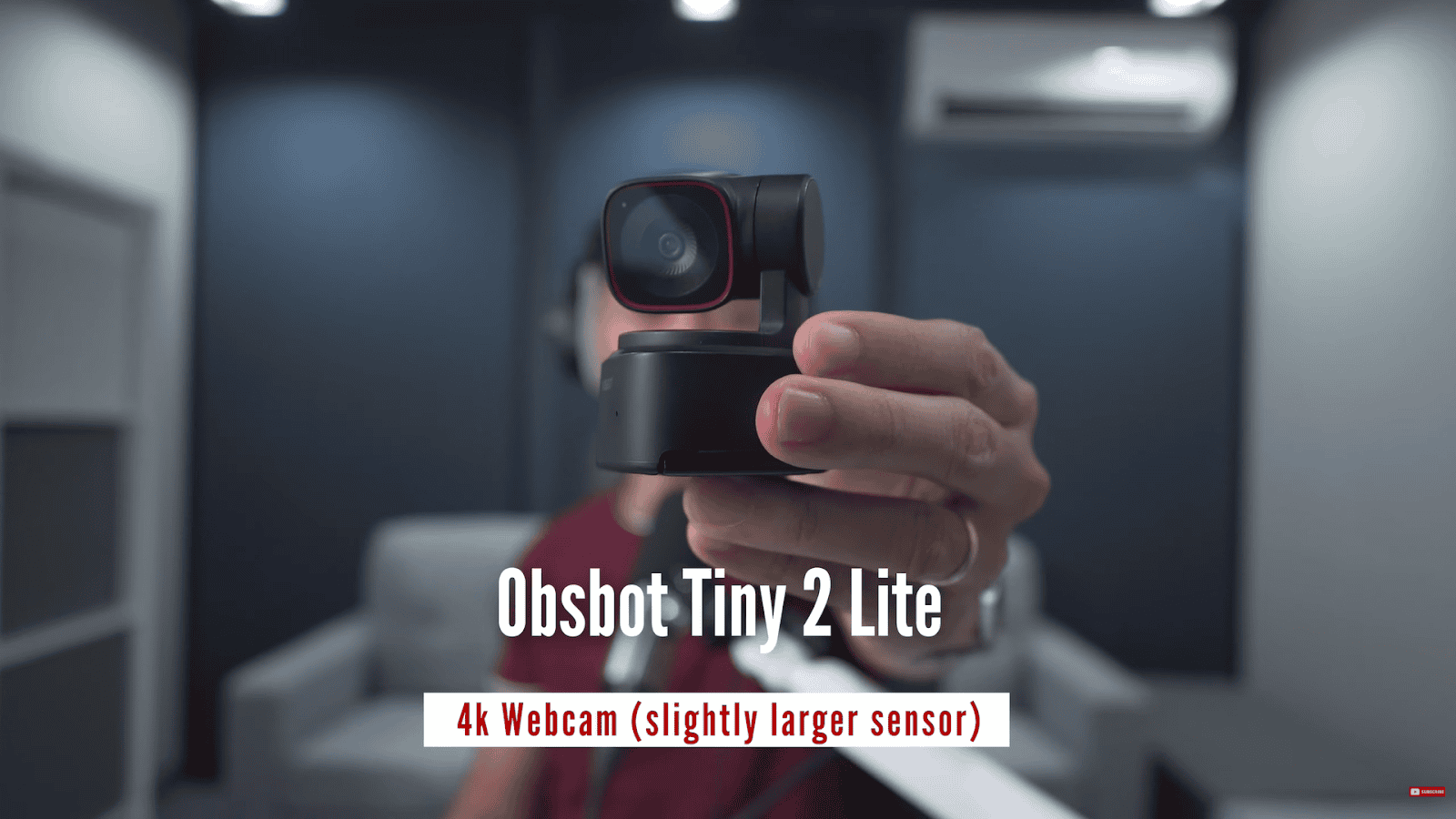
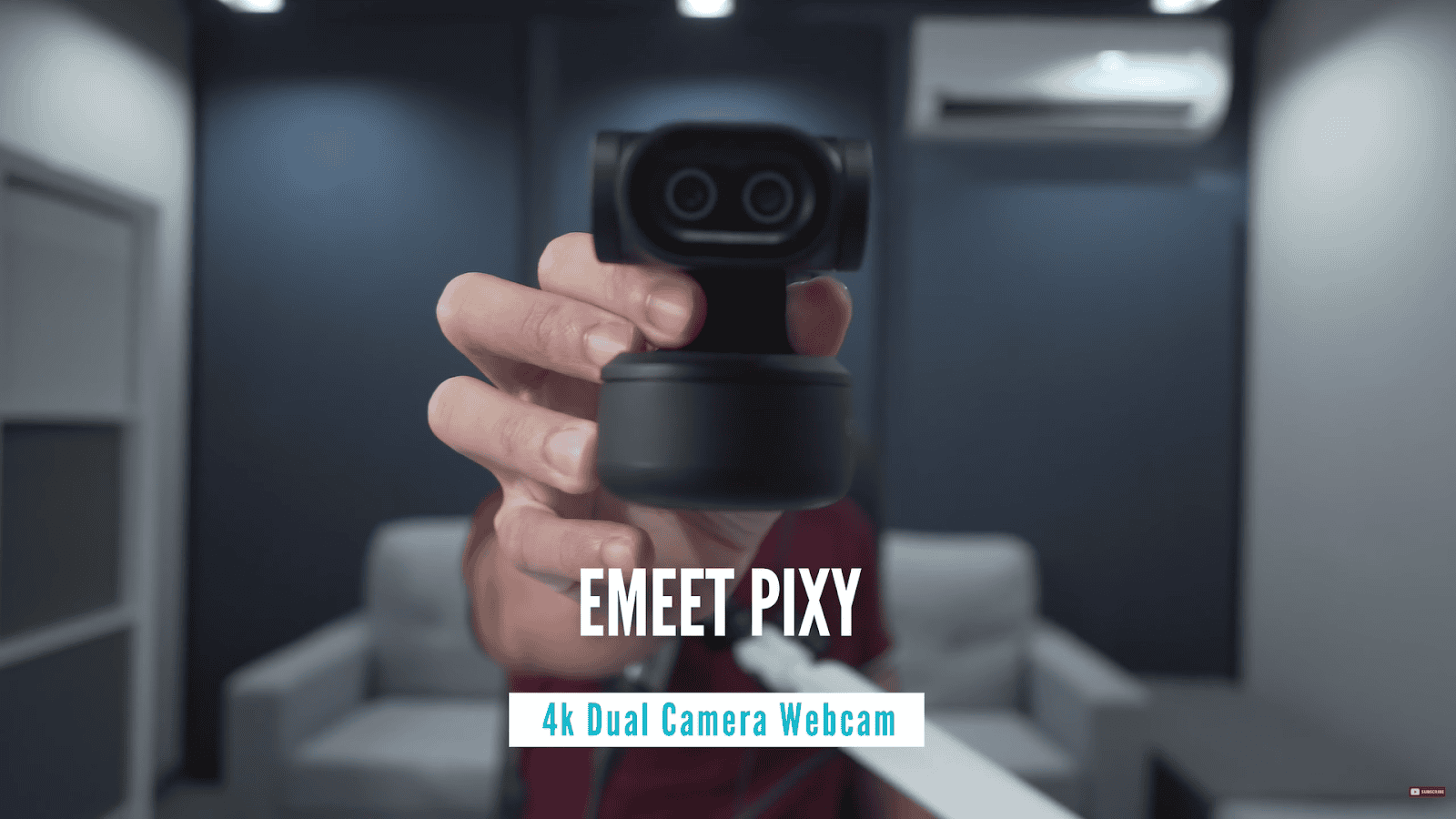
Today we will talk about the EMEET PIXY, a 4K dual camera webcam, which also doubles as your pet robot. Alongside the EMEET PIXY is the Obsbot Tiny 2 Lite. Also a 4K webcam with a slightly larger sensor, but it only has one camera.
The question is, is two better than one? Let’s find out in this webcam.
Disclaimer, EMEET is sponsoring this video, but everything I say here are my thoughts only. And to make things fair, I won’t be naming an overall winner.
Round 1 – Weight
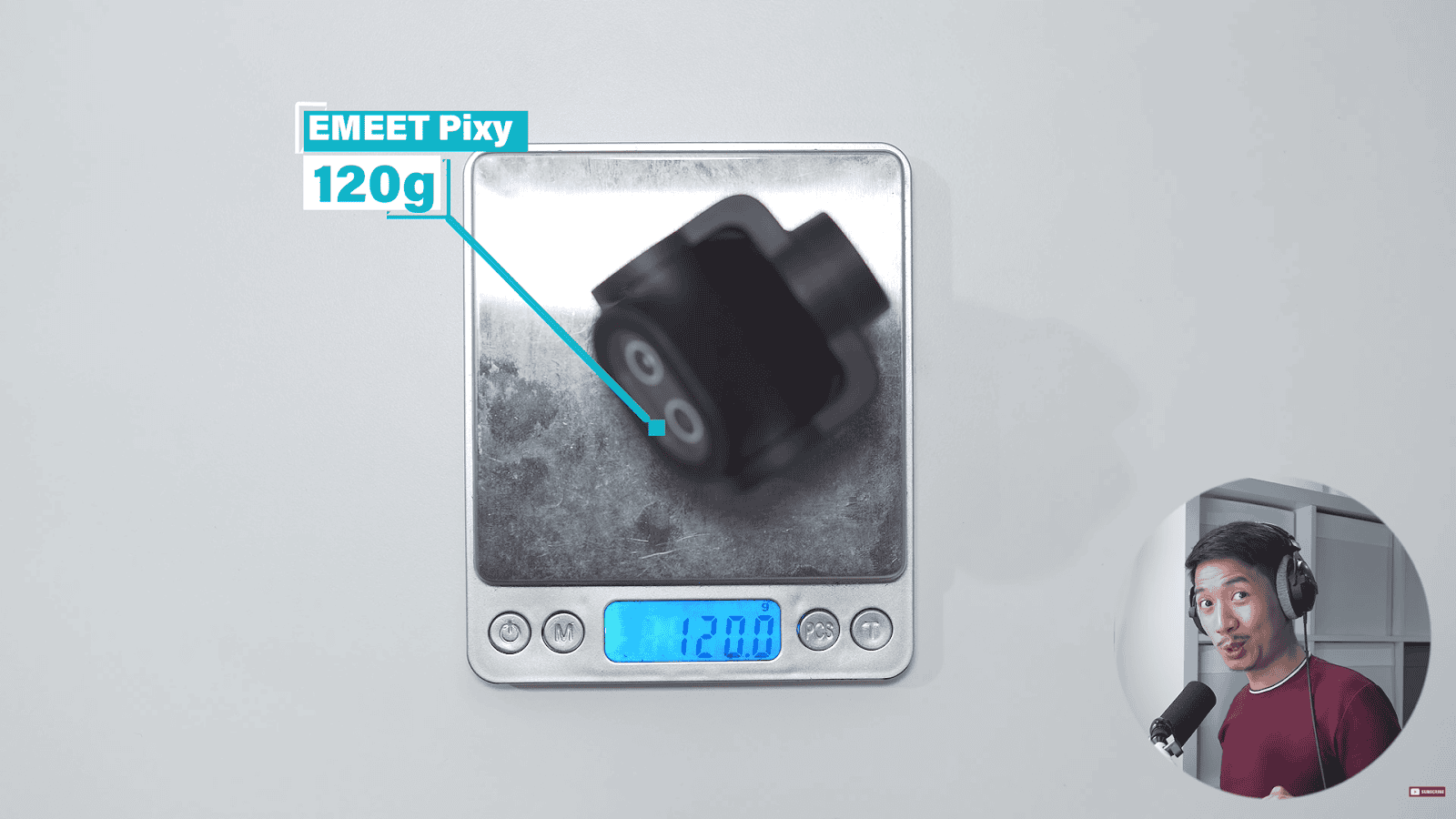
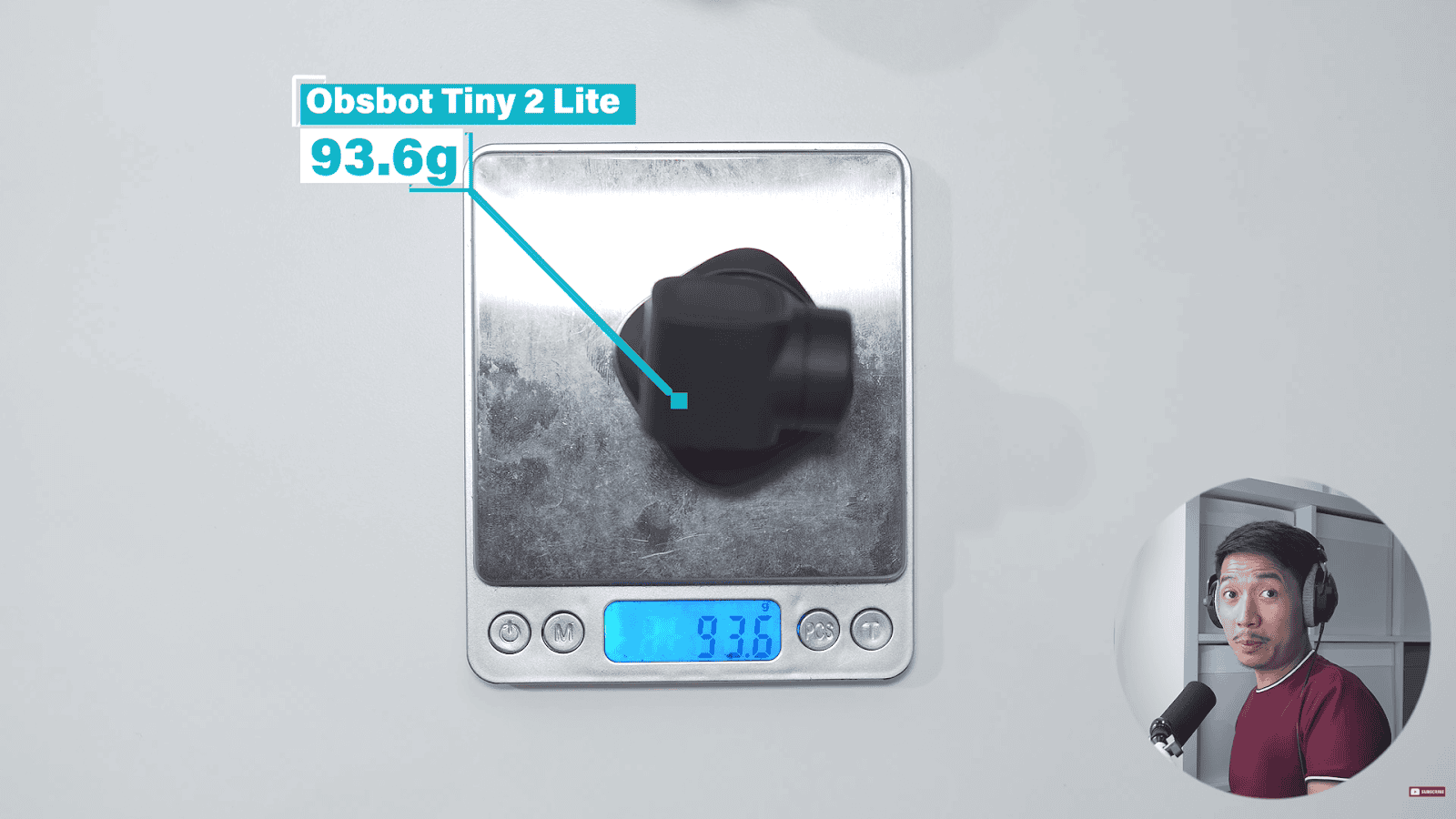
The EMEET PIXY weighs 120 g, and the Obsbot Tiny 2 Lite weighs 93.6 g. So, the Obsbot is about 27 g lighter than the EMEET PIXY. And the winner of this round is the Obsbot Tiny 2 Lite.
Round 2 – Build Quality
For the build quality, both of them are made of plastic. The Obsbot also seems to be metal, just painted black. Honestly, there’s no visible difference to me. This round is a draw.
Round 3 – Image Quality
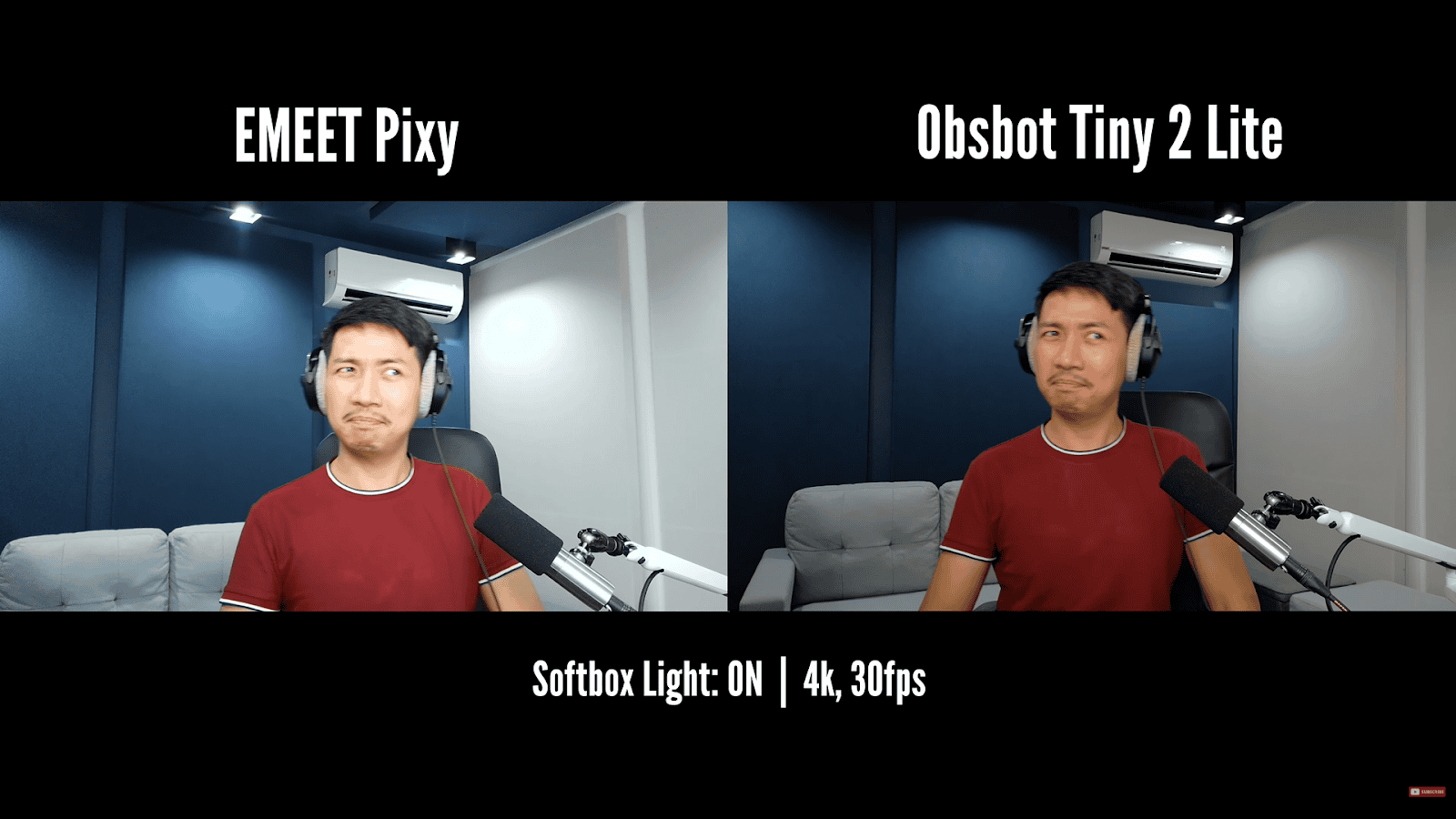
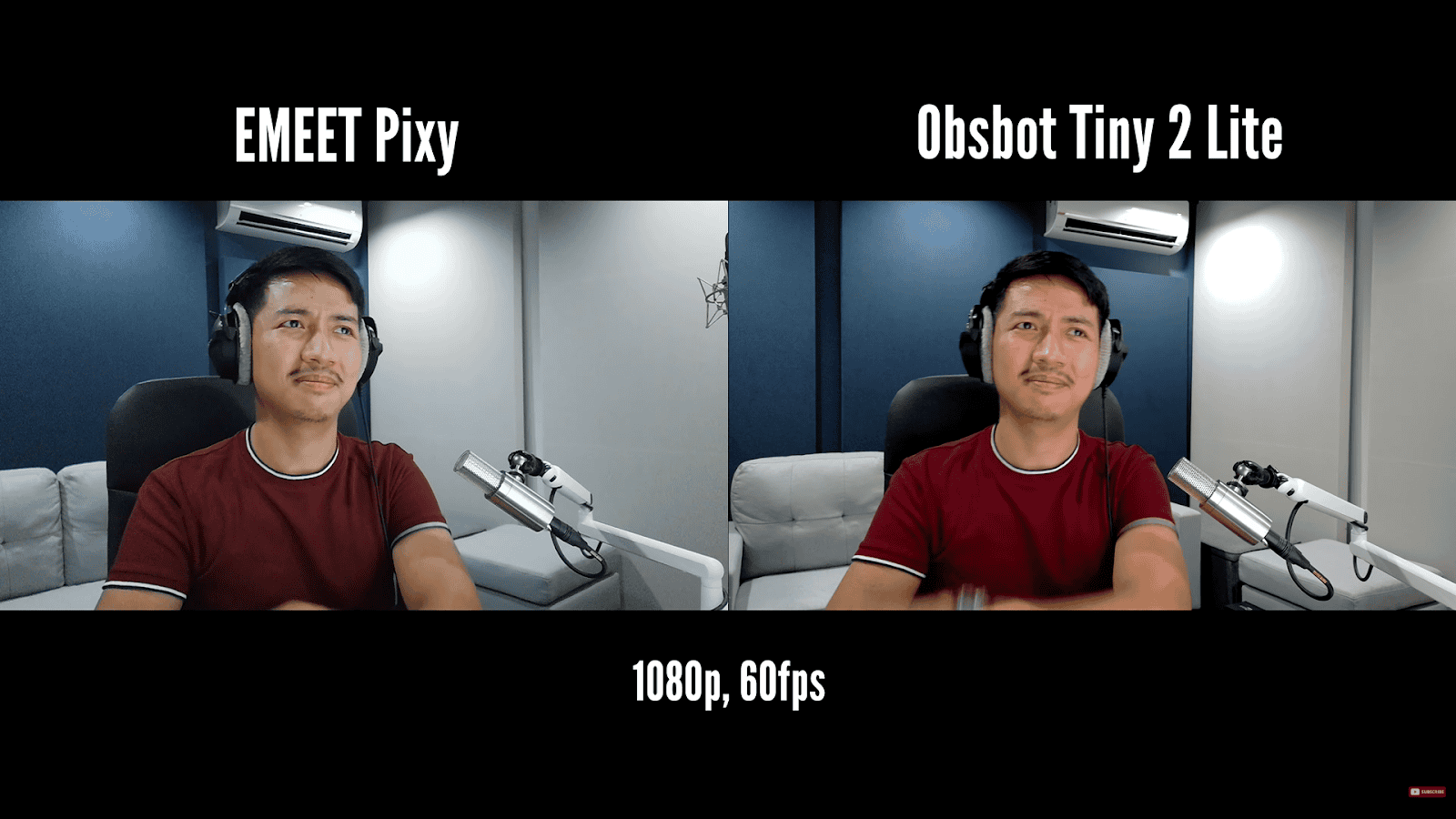
I noticed that the PIXY was just a touch brighter, a little overexposed compared to the Tiny 2 Lite. With the PIXY, the pin light already looks like a white ball with some missing detail in the middle, whereas the Obsbot retains that.
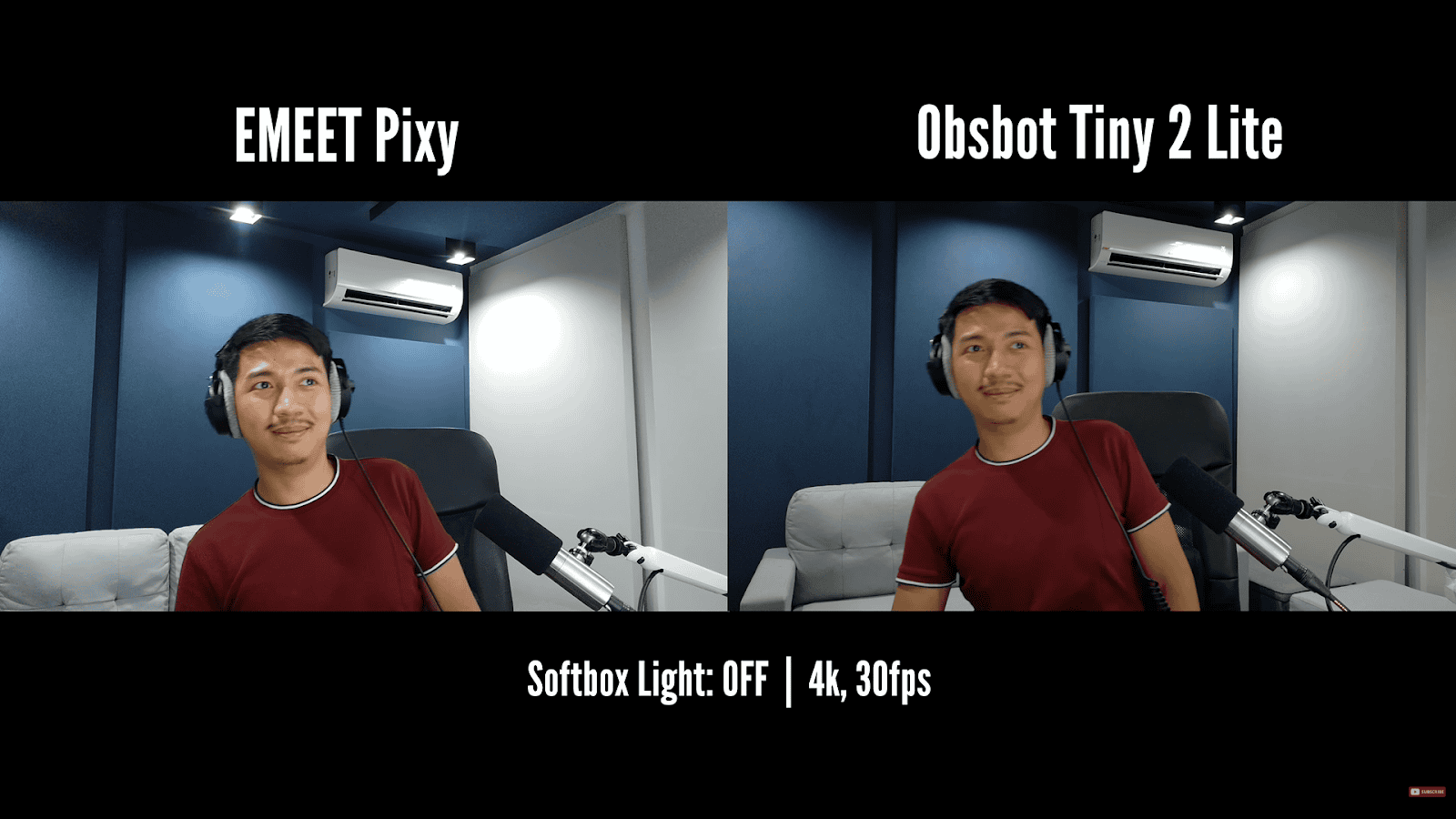
Now, when I turn the lights off, you can see that the PIXY suddenly has more color, and the overall image looks a bit more flattering. So, that’s a really great thing about the PIXY. I find that having a huge soft box in your face all day can get fatiguing for your eyes. You can visibly see that the PIXY has more grainy noise in the background because it does have a slightly smaller 1/2.55 in sensor compared to the Tiny 2 Lite’s 1/2 in sensor. The PIXY is intentionally slightly overexposed so that the image quality looks better for the average user, and you can still improve the quality by fine-tuning it. The PIXY can look great for average users without professional lighting, and the Tiny 2 Lite has more overall potential if you do have professional lighting. So, this round is a draw.
Round 4 – Bokeh (Background Blur)
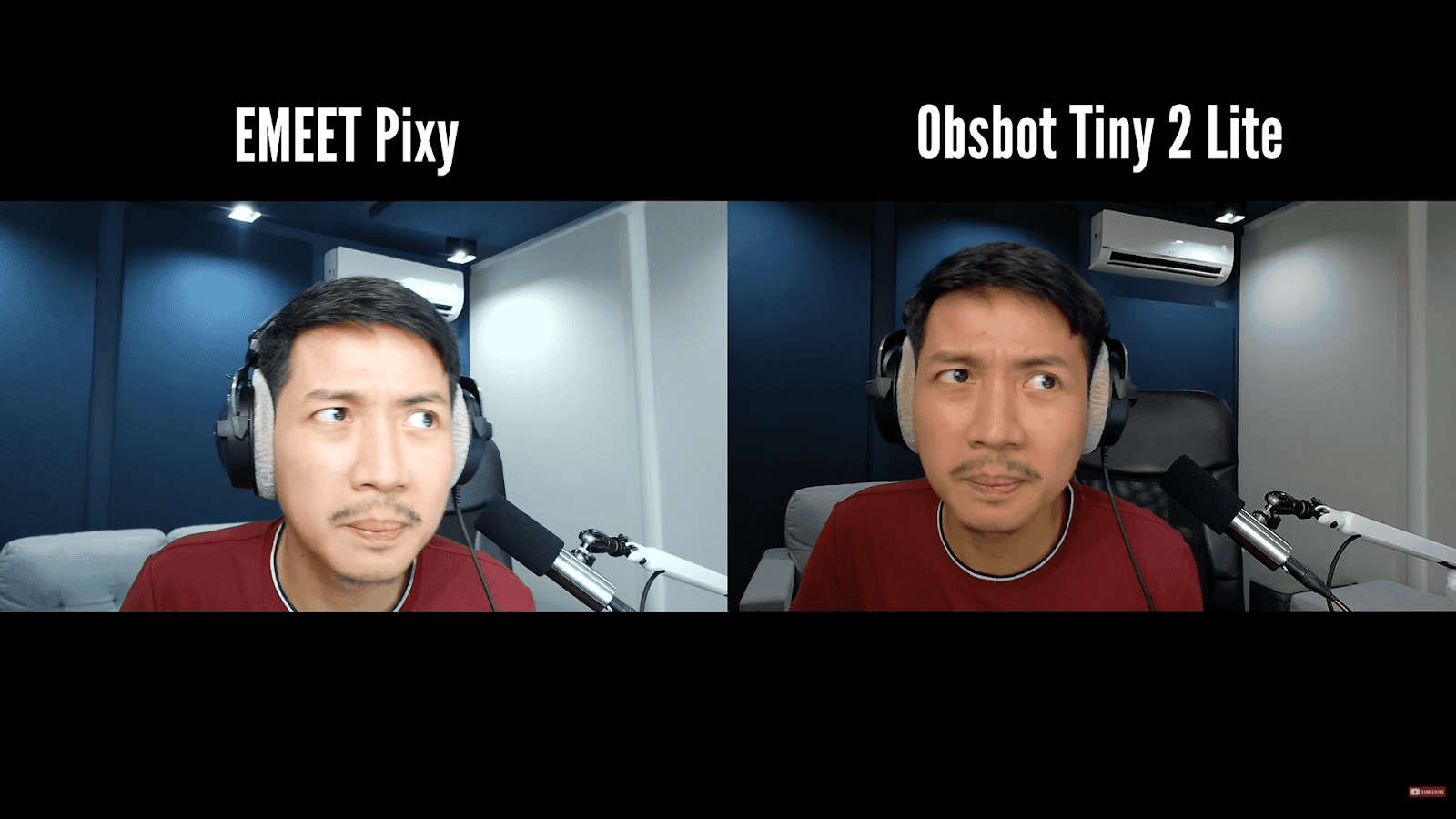
We usually buy professional cameras to get that nice blurry background. However, you can get a blurrier background when you’re showcasing smaller products and bringing them up close. Now, the Tiny 2 Lite actually comes with software blur that I’m personally not such a fan of. You can see that there’s outline surrounding me and it isn’t detecting the shape of my headphones and microphone very well. However, at least the Obsbot has the option for virtual blur. This round goes to the Obsbot Tiny 2 Lite.
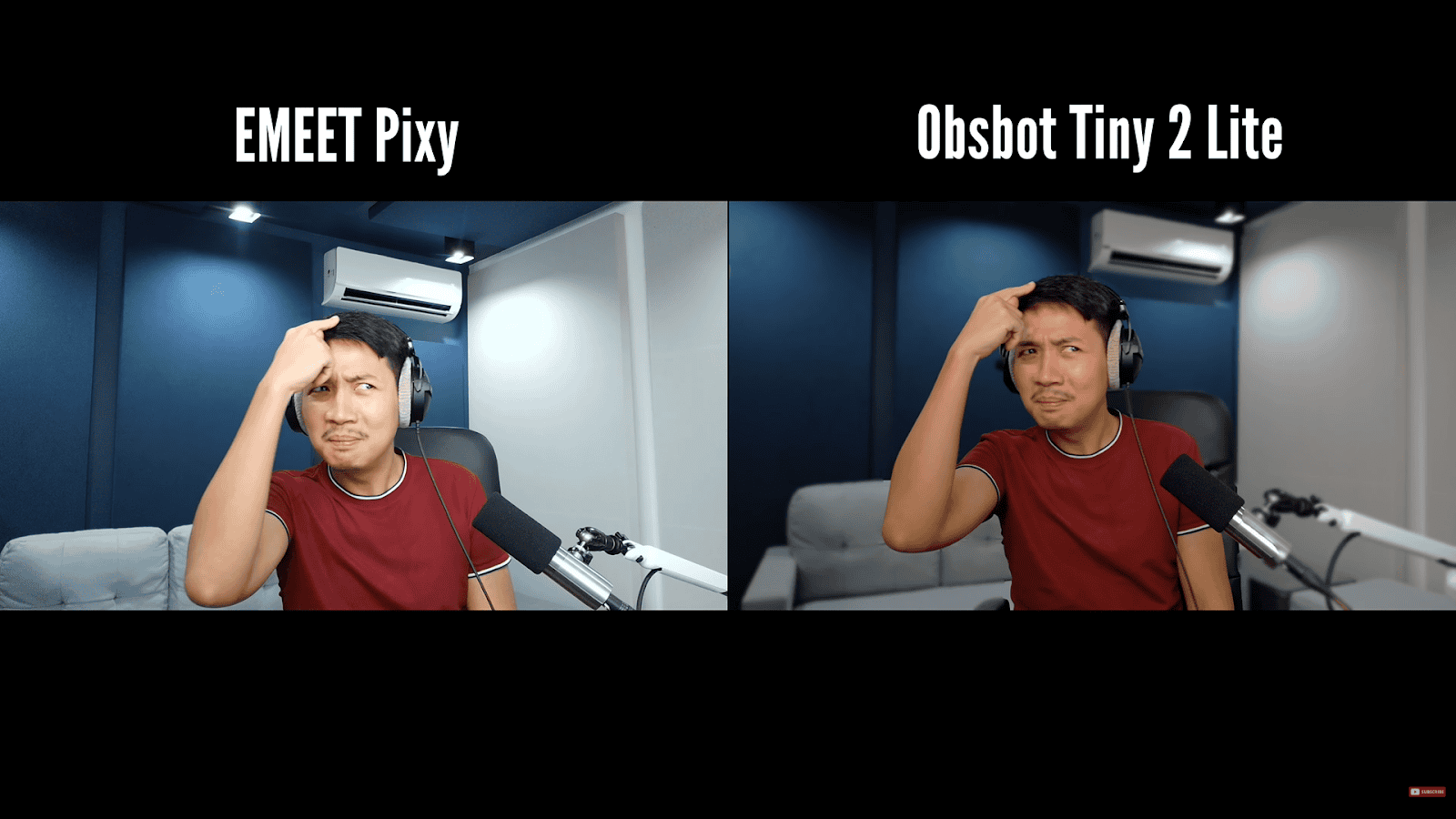
Tiny 2 Lite it isn’t detecting the shape of my headphones and microphone very well
Round 5 – Chromatic Aberration
If you look at the grills of my Obsbot microphone, you can see this odd purple fringing effect, which is an optical flaw in the lens.
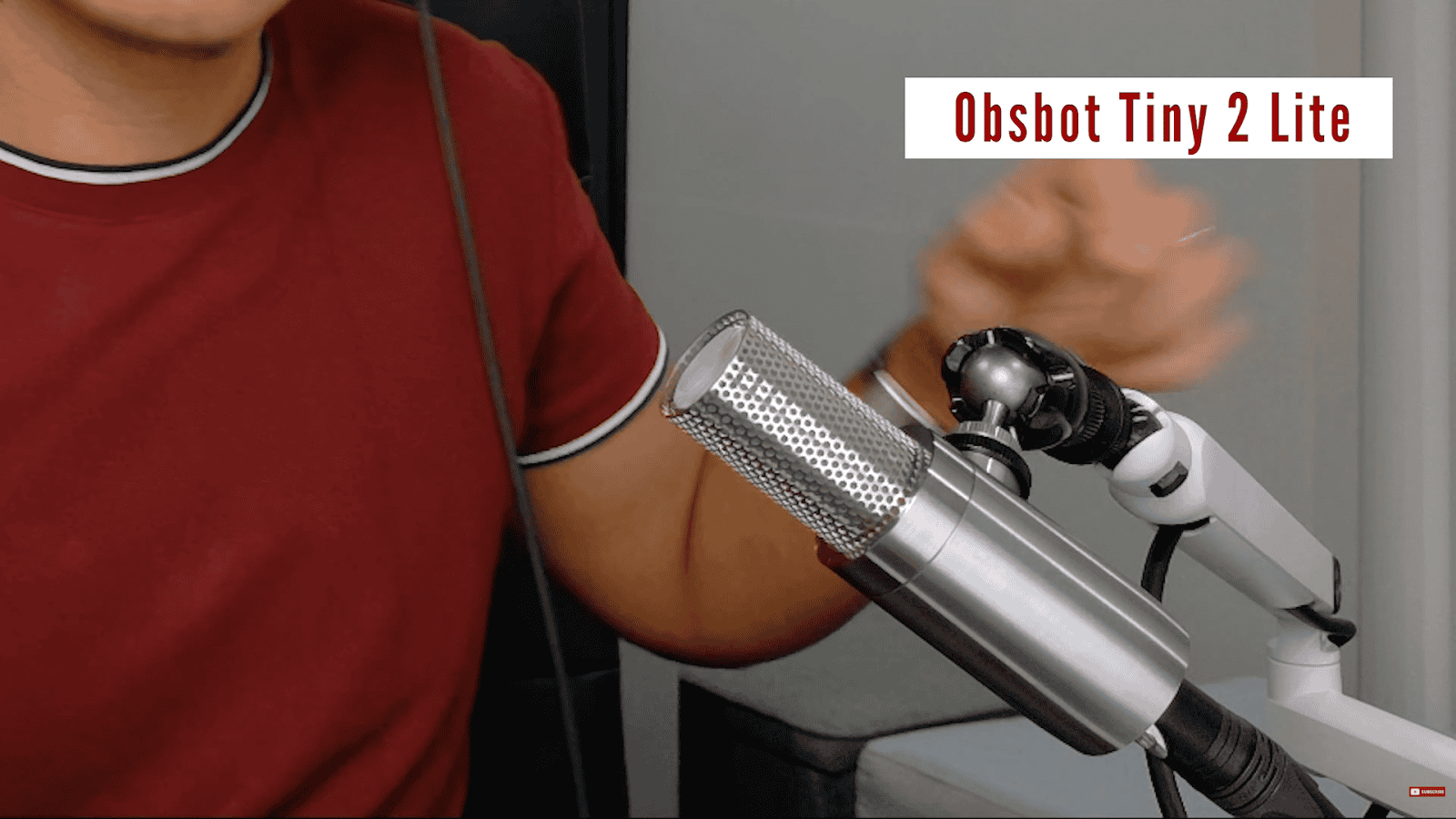
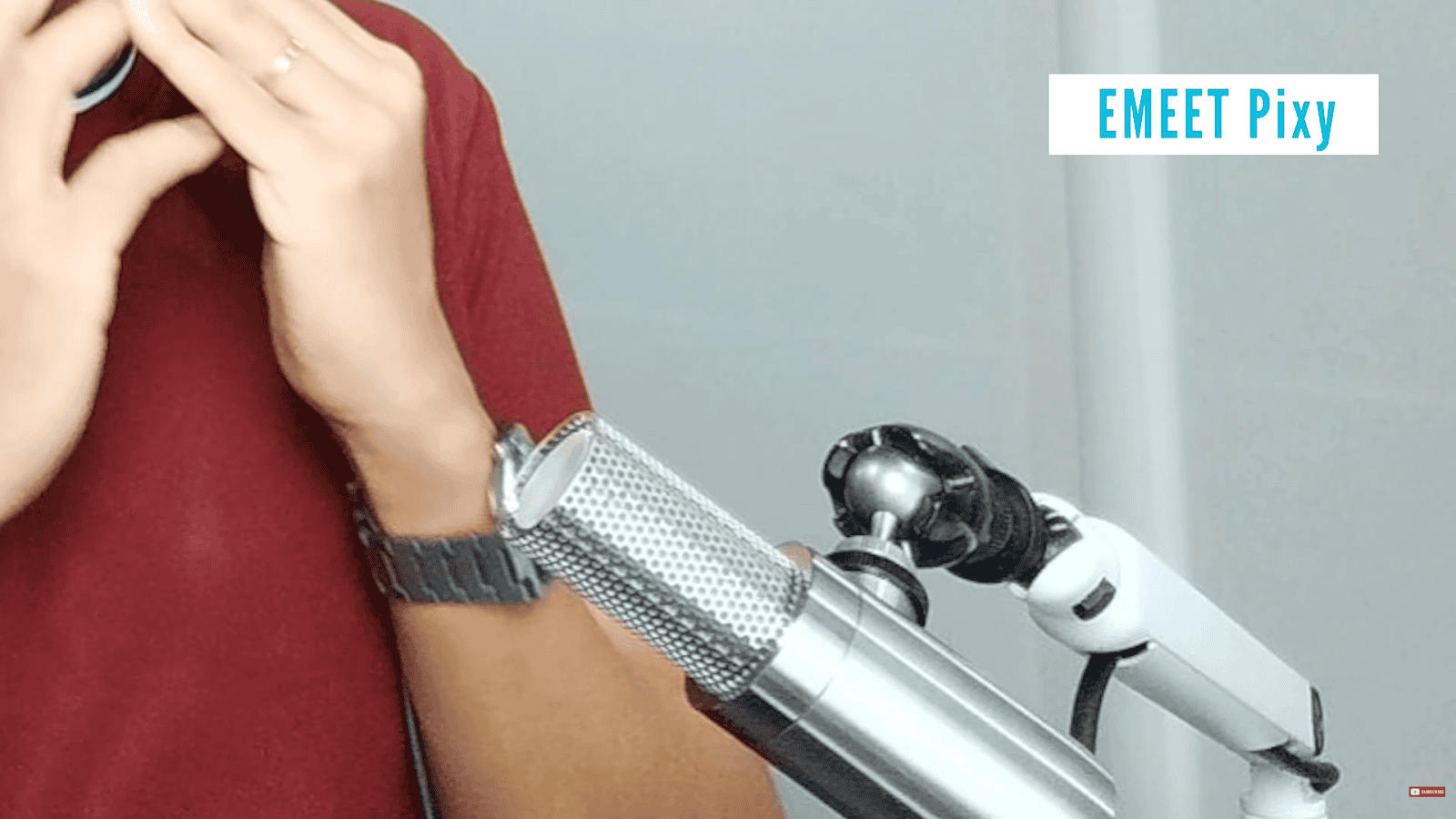
The PIXY though, has none. This wouldn’t really matter for some people, but it’s still worth noting. This round goes to the EMEET PIXY.
Round 6 – Tracking
Now, here’s where the PIXY’s second camera really comes into play. The second camera helps the PIXY with exposure, autofocus, and tracking. Now, for tracking speed, the PIXY only has one tracking speed as of this video, whereas the Tiny 2 Lite has quite a few. But even at the Tiny 2 Lite’s fastest setting, you can see that the PIXY was faster to respond, and it locked into place with more confidence. Whereas the Tiny 2 Lite would lock on about 2/3 of the way and gradually glide before finally locking in. This round goes to the EMEET PIXY.
Round 7 – Auto-focus
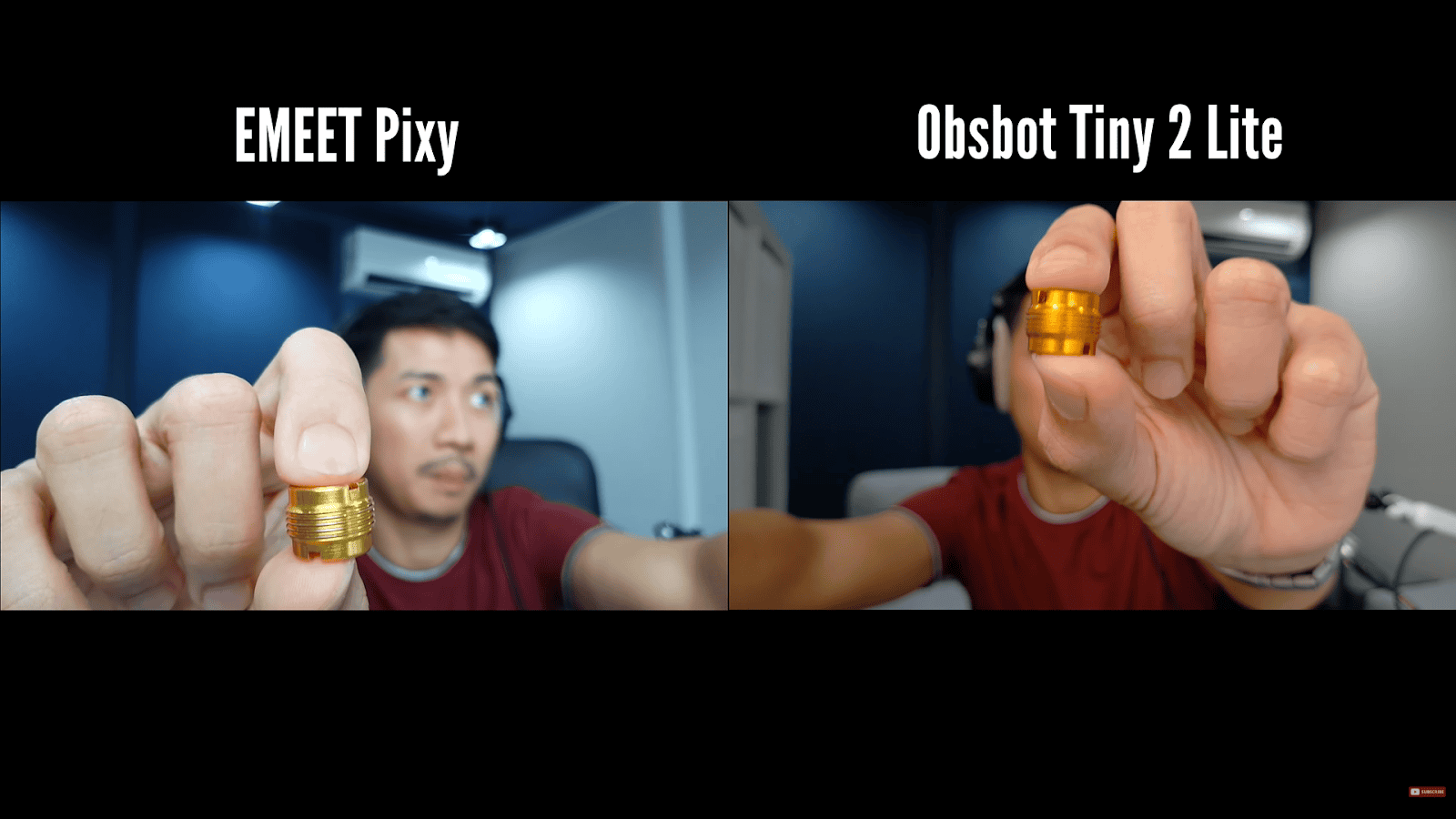
Thanks to its AI-assisted camera, you can see that the PIXY quickly shifts focus from the adapter thread to my face, while the Tiny 2 Lite lags behind ever so slightly. There were moments when the Tiny 2 Lite was actually faster at tracking. So speed-wise, we can say they’re even on average, but I find that the PIXY has zero focus breathing, at least to my eye. On the other hand, the Tiny 2 Lite does lock in, but it has this quick jitter in terms of focus breathing. You’ll notice this when it switches from a close subject to a farther subject. This round goes to the EMEET PIXY.
Round 8 – Software
Personally, I think both the Obsbot Center app and EMEET Studio app are works in progress.
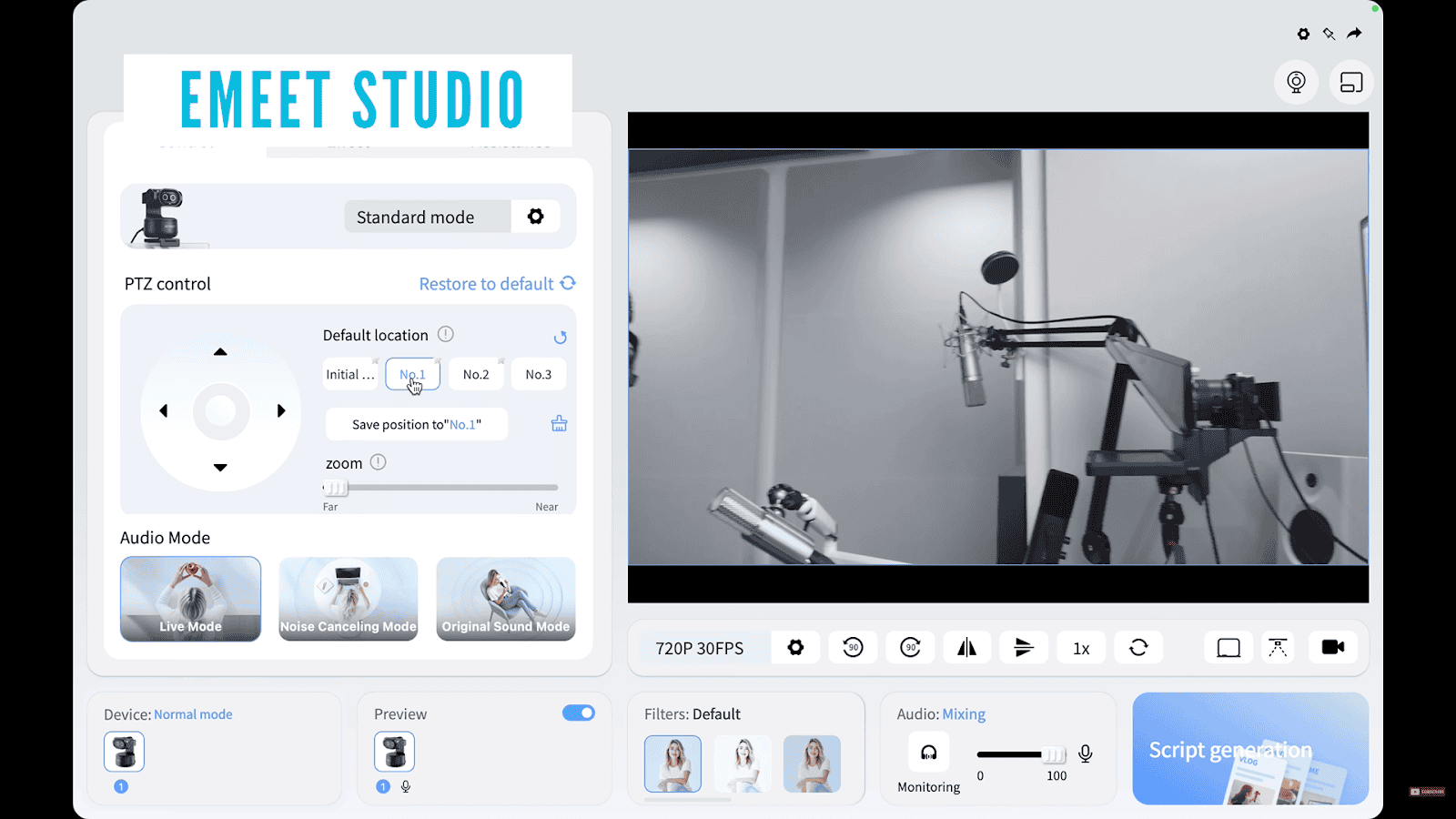
EMEET Studio is fairly reliable. It doesn’t have all of the bells and whistles, but it has all of the important features that you’ll actually want to use. It does have this AI script generator, which I guess can be useful, but I don’t see myself using it.
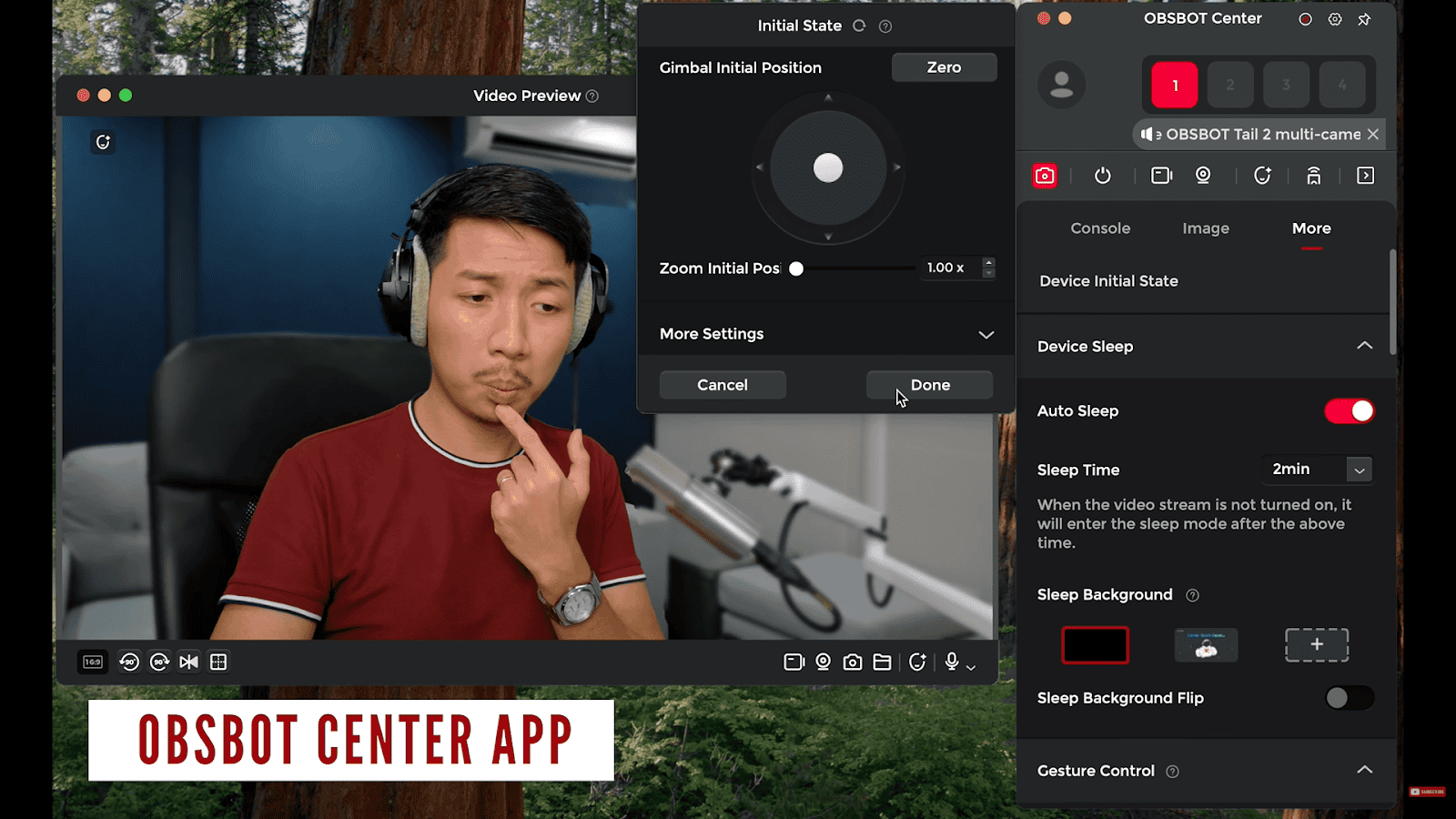
Now, the Obsbot Center app has more features like background blur, various microphone settings, and more beauty settings, but it sometimes causes OBS to crash for me. And I guess this is somewhat software related. The EMEET PIXY is actually compatible with the Nintendo Switch, too. This round is a draw.
Round 9 – Microphones
The Obsbot’s audio is more versatile and mostly sounds better. This round goes to the Obsbot Tiny 2 Lite.
Round 10 – Stuttering
Initially, I thought the Tiny 2 Lite stuttered more, but it was probably because its frame rate was set to 25fps. Both webcams performed fine on an M4 Pro Mac Mini. This round is a draw.
Round 11 – Thermals
Neither of these webcams got warm in 1080p, but in 4K, the Tiny 2 Lite as a whole, you know, its whole body was very slightly warm, even with hours of use. Whereas the PIXY camera just got a little warmer, but the base was cooler than the Tiny 2 Lite’s. And neither of them got alarmingly hot even after hours of extended use. This round is a draw.
Round 12 – Lowlight
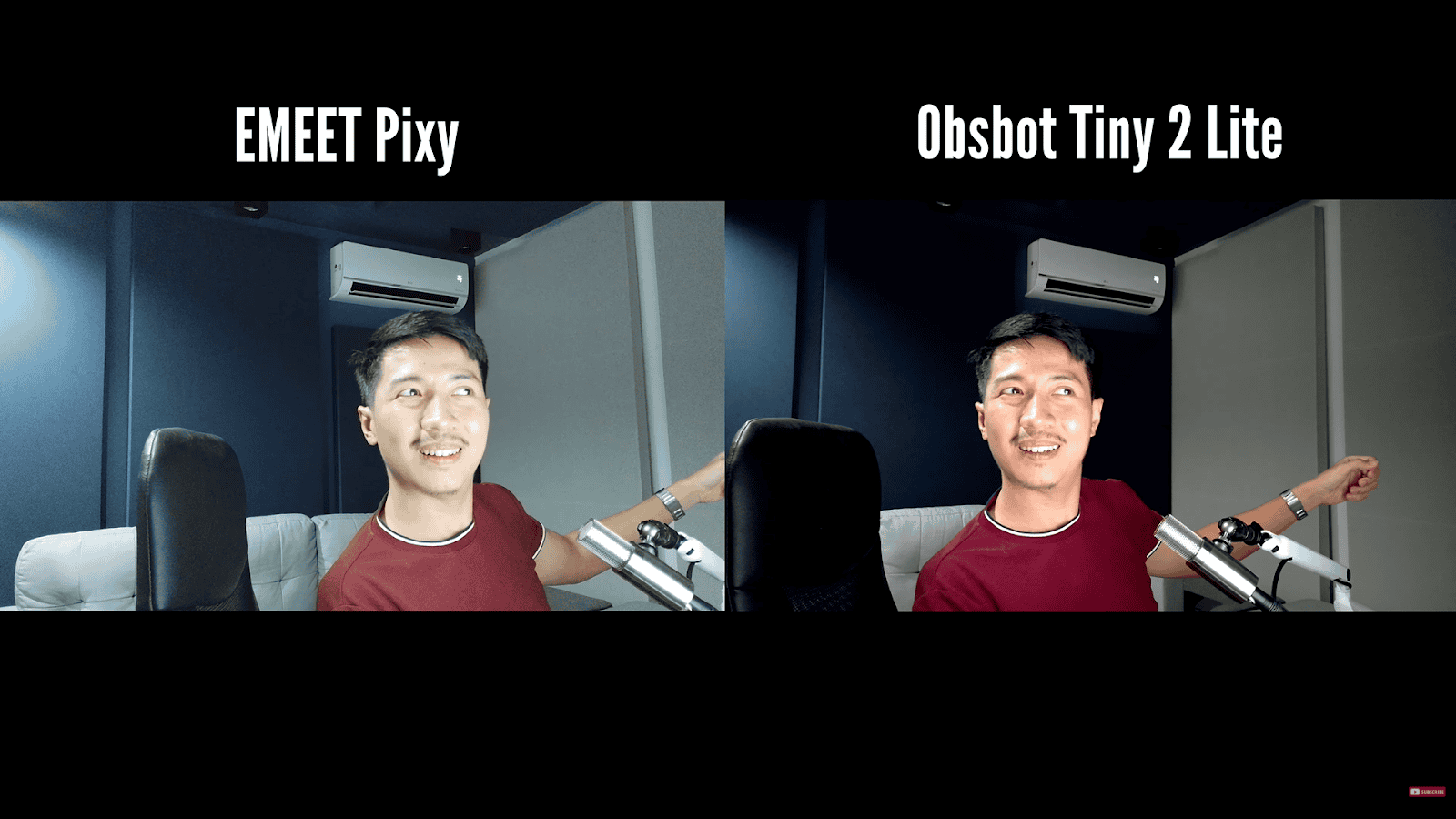
You can see that the PIXY has this HDR-like effect, where it causes the shadows to be brighter. This looks more like a balanced image overall, especially for Zoom calls. But if you’re creating content, the noise can be distracting. The Tiny 2 Lite, on the other hand, benefits from its larger sensor and produces punchier colors in low light. You can get more cinematic with it. I’d like to say that the EMEET’s HDR effect is convenient and that its presets can be better for those without proper lighting, but the Obsbot just has a higher performance ceiling in low light. This round goes to the Obsbot Tiny 2 Lite.
Round 13 – Price-to-Performance
To put things into perspective, it helps to remember that the Logitech Brio 4K in 2017 was $200. Sure, it shot in 4K, but it had no pan, tilt, or zoom capabilities, which both of these webcams have. Back in the day, to get PTZ, you needed to spend about $800 on a Logitech PTZ Pro 2, which only shot in 1080p. Honestly, both of these webcams have enterprise-grade features for under $200, so you can’t go wrong with either. This round is a draw.
Can’t decide which of the two cameras to purchase? Why not buy both with the links below!
Obsbot Tiny 2 Lite
https://link.davesoltura.com/ObsbotTiny2Litefooter
EMEET Pixy
https://link.davesoltura.com/EMEETPixyfoote
Also, there’s a discount code! If you want 6% off on the EMEET Pixy, use this link: https://link.davesoltura.com/emeetpixy and apply the code Dave6 at checkout.